PWR RIP - Network Edition (Multi Printer Fleet support)
PWR RIP - Network Edition (Multi Printer Fleet support)
Couldn't load pickup availability
PWR RIP — Professional Color, Screening and Print Production
PWR RIP is a production-focused raster image processor that gives operators control over how artwork becomes a finished print. Color management, screening, ink control, white generation, job preparation, and printer-ready output all come together in one clear workflow.
Built around the core needs of modern digital print production, PWR RIP starts with a capable RIP engine and adds the artwork-preparation and workflow tools shops use every day.
Key features
-Multi Printer Support
Control Multiple Printers with one main Rip, queuing and sending jobs to printers in your network simultaneously. Wireless control of your fleet from one place, making your workflow seamless and efficient
- ICC color management
Use built in ICC/ICM profiles to produce more accurate, consistent, and repeatable color for your printer, ink, media, and production process, with the option to build your own profiles with our Pro add-on
- FM and ordered screening
Choose crisp FM-style screening or faster ordered screening to create the dot structure that best suits the artwork and job.
- Ink limits and linearization
Control total ink coverage and individual color channels, then use linearization curves to produce a smoother, more predictable printer response.
- Automatic white underbase
Generate the white layer directly from the artwork, with adjustable white density, choke, and color spread for cleaner edges and better registration.
- White-on-top output
Set the white layer to print in the correct order for transfer-based workflows without manually rebuilding the artwork.
- Direct printing—no hot folder needed
Send completed jobs directly to compatible printers or save printer-ready PRN files for later production.
- Reusable print setups
Keep ICC profiles, ink settings, curves, white controls, screening, and output settings together in named setups for faster, more consistent production.
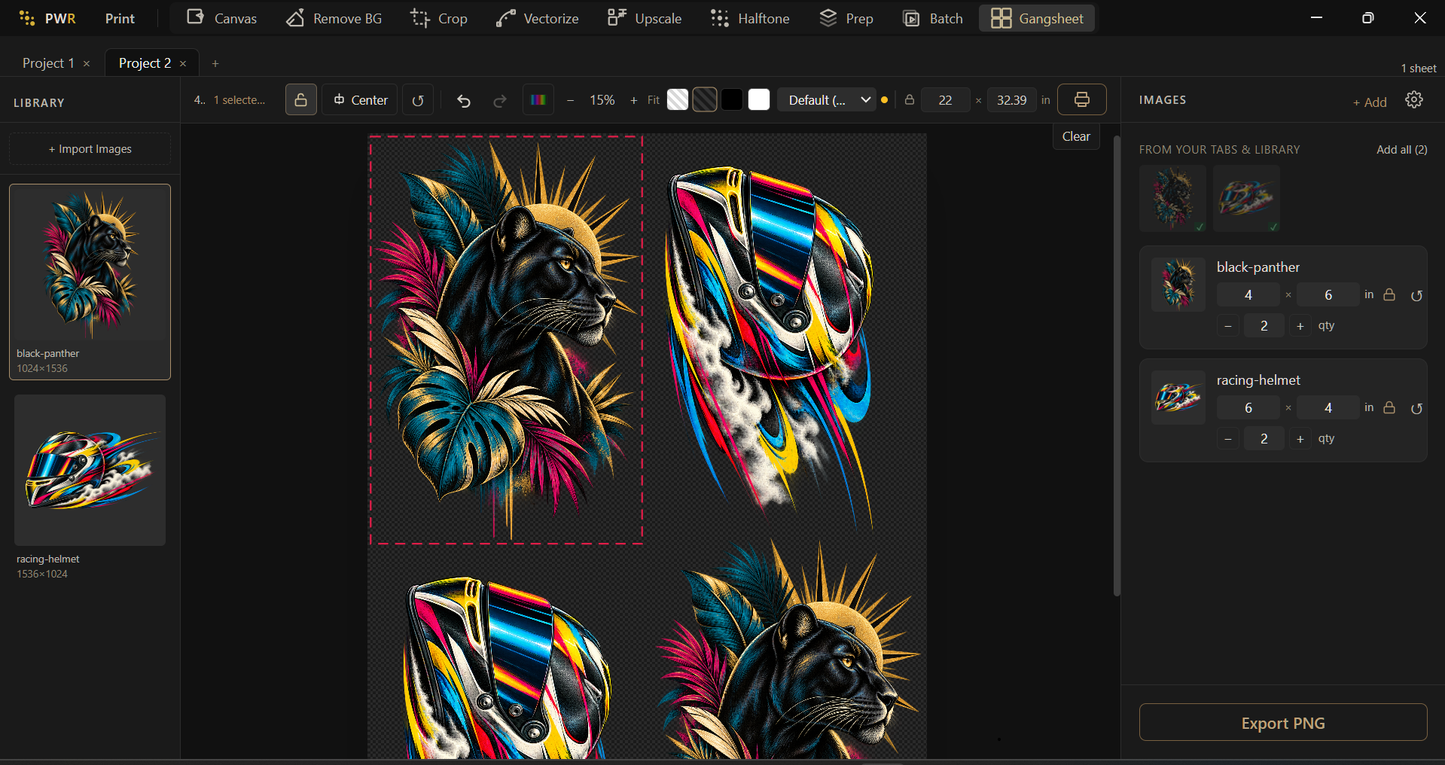
- Gang-sheet builder
Arrange multiple designs at their correct physical size, control spacing and sheet width, automatically rotate artwork for a better fit, and split longer projects across multiple sheets.
- Artwork preparation
Remove difficult backgrounds and upscale low-resolution images using tools that run locally on the computer, including halftoning, vectorization, and upscaling.
- Canvas editor and filters
Make practical production adjustments—including sizing, color, contrast, sharpening, white outlines, and other common corrections—without constantly moving between applications.
- Batch processing
Apply a repeatable preparation workflow to full folders of artwork. Remove backgrounds, crop, resize, upscale, add halftones, and prepare gangsheets without handling every file individually.
- Print queue and production history
Monitor active jobs, pause or resume the queue, save completed print files, reprint previous jobs,
and estimate ink and media costs.
Available editions
- Standard
Core RIP, direct printing, gang-sheet production, batch processing, and artwork-preparation tools.
- Pro
Adds guided spectrophotometer-based profiling, calibration, verification, and color correction.
- Network
Adds local-network control of multiple printers from one workstation.
- Max
Includes both professional profiling and multi-printer network control.
PWR RIP is built as a flexible print-production platform, with DTF as its first supported application. Works with most DTF printers on the market. Please confirm compatibility with your printer before purchasing.
Specifications
| Brand | Print Works |
|---|---|
| Product type | DTF RIP software |
| Edition | Network |
| Monthly option | $69/mo |
| License | Software activation, one PC at a time |
| Operating system | Windows |
| Free trial | Available on request |
| Includes | Standard + local-network control of multiple printers from one workstation |
| Printer compatibility | Works with most DTF printers on the market – confirm your model before purchase |
| SKU | PWR-NETWORK |
| Price | $999.00 |
Share